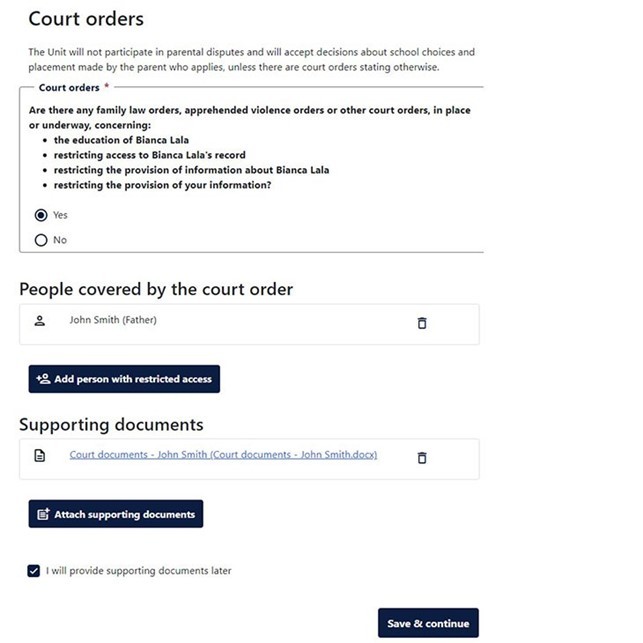
The Court orders section helps us to communicate with the primary parent for the application and to meet any privacy requirements.
- Select Yes or No to the Court orders question.
If you select No proceed to Step 6. - Enter the name of the person(s) covered by the court order
- Enter the relationship between the person(s) covered by the court order and your child and then select Save.
- Select Attach supporting documents and follow the steps to add a file. Ensure the document name is relevant to the file you have attached. Select Save once the file has been attached. Follow steps in the How do I upload documents and supporting evidence? section of the Making updates & sending messages page for support
- If you do not currently have any supporting documents, select the I will provide supporting documents later checkbox. Upload documents as soon as possible after submitting your application (see Making updates and sending message (go to Step 11).
- Select Save and continue.
Screenshot image of the Court orders page